

Overview
Breeze Kiosk provides a touchscreen interface for viewing JPEG images, animated GIFs and MP4 videos, and selecting them for printing, emailing, texting or uploading to Twitter. It is designed to work with event software such as Breeze Systems’ photo booth software.
Features include:
- Slideshow display when idle
- Second monitor display for photo booths
- Interactive hashtag print station when combined with Hotfolder Prints (sold separately)
System Requirements
Breeze Kiosk runs on desktop versions of Windows: Windows 10, Windows 8/8.1, or Windows 7.
It will run on low-powered tablets with Intel Atom and Celeron processors (e.g. Atom Z3775, Celeron N2807) as well as more powerful Intel i3/i5/i7 and AMD processors. Minimum RAM is 1GB — if performance is slow, reduce the image cache size.
Suggested Computers
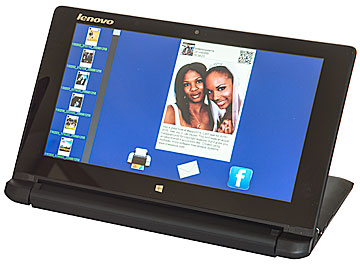
Suitable devices include the Microsoft Surface Go (Windows 10, not 10 S), Asus Transformer Book, Lenovo Miix 10, HP Stream, and Microsoft Surface Pro. The key requirements are a desktop version of Windows and a touchscreen.
Post your comment on this topic.